Showing posts with label operating systems. Show all posts

Jul 24, 2009

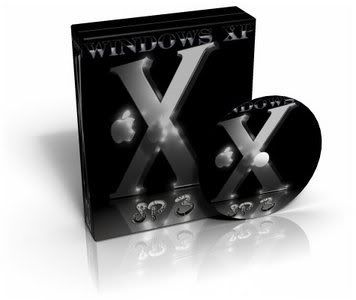
Darknez Windows XP SP3 DVD Edition July.2009

Darknez Windows XP SP3 DVD Edition July.2009
Darknez Windows XP SP3 DVD Edition July.2009 | 3.38 Gb

--------------------
General Information
--------------------
Author...............: Darknez
Type.................: OS
Platform.............: WIN XP Sp3 DVD
Image Format.........: .iso

Size: 3.39 GB
TOTALLY CLEAN BUILD, NOTHING TWEAKED BUT:

Unsigned Themes Patch
TCPIP set to 1000
Disabled system File Protection

Otherwise its a fully Updated, Driver integrated XP Sp3

Enjoy..Darknez

Instructions:
UnRAR *.iso
Burn *.iso
Boot *.iso

No need for Serial or Activation

Info:
This stuff is _not_ included. (Because its crap).
If you need it get it via Windows Update or install it manually.

High Priority
————-
Windows Malicious Software Removal Tool - July 2009 (KB890830)
Internet Explorer 8 for Windows XP
Windows Media Player 11

Optional
——–
Update for Root Certificates [May 2009] (KB931125)
Microsoft .NET Framework 3.5 Service Pack 1
Microsoft Base Smart Card Cryptographic Service Provider Package
Group Policy Preference Client Side Extensions for Windows XP
Windows Search 4.0 for Windows XP (KB940157)
Windows Media Player 11
Microsoft .NET Framework version 1.1
Microsoft Silverlight (KB960353)
Windows Live Essentials
--------------------
DRIVERS INTEGRATED:
--------------------
DriverPack Chipset 902
DriverPack CPU 804
DriverPack Graphics A 8121
DriverPack Graphics B 906
DriverPack Graphics C 8121
DriverPack LAN 8121
DriverPack MassStorage 901
DriverPack Sound A 805
DriverPack Sound B 805
DriverPack WLAN 806
--------------------
APPS INCLUDED ON MENU
--------------------
1.Google Chrome 3.0.190.1
2.Safari 4.0.530.17
3.Skype 4.0.0.215
4.uTorrent 1.83 Build 15728
5.FileZilla 3.2.6
6.Msn Live Messenger 9 Ads Free
7.Opera 10 Beta
8.Yahoo Messenger 10.0.0.331
9.Firefox 3.5 With Lots Of Addons
10.Flash Player and Shockwave Player 10
11.Internet Download Manager 5.17 Build 5
12.Cowon JetAudio 7.5.1.2 Plus VX
13.DFX 9.107 For Winamp
14.DFX 9.107 For Windows Media Player
15.Winamp 5.56 Lite Edition
16.Avast Antivirus Proffessional 4.8.1335
17.Eset Nod32 4.0.437
18.DVD Fab 4.62
19.Magic ISO v5.5 Build 274
20.Power ISO 4.4
21.Auto Play Media Studio 7.5.1000
22.Autoit v3300
23.NFO Viewer
24.Nlite v1.4.91
25.Registry X2 RunOnce Ex
26.Scite For Autoit 3
27.Setups Builder v1.0
28.UltraEdit 15.0.0.1035
29.Adobe PhotoShop CS4
30.Gimp v2.6
31.Image Format Converter v2.0
32.Office 2007
33.Adobe Reader v9
34.All Office Converter Platinum Edition 4.14
35.Corel Word Perfect Office x4
36.Foxit PDF Reader
37.Lingeos Translator v2.61
38.PDFZilla
39.Revo Uninstaller v1.83
40.C Cleanerv2.20
41.Clena Up
42.Cpu Speed Proffesional
43.File Menu Tools v5.6
44.Java 6 Update 14
45.PowerCMD v2.0
46.RedDX RunTimes v0.7
47.Spidy 1.59
48.Task Kill v2.30
49.Unlocker v1.87
50.Windows Matrix Tune Up 3100
51.WinRegistry Cleaner ProFessionalv4.6
52.K Lite Media CodePack v5.0
53.Quick Time v7.60
54.Total Video Converter v3.21
55.Video DVD Maker Proffesional
56.7 Zip 4.65
57.WinRAR 3.90Beta
58.WinZip 12.0.8252
59.ActiveDesktop Calander 7.6
60.Crystal Clear Pack v1.0
61.Longhorn Inspirat Pack v1.1
62.Pack Vista Inspirat v2.1
63.Vista Aero Glass
64.Notepad 5.44+
65.Windows Sidebar Style

Screens : #1
download link :
Uploading.com for USA, Germany, UK, Canada, Australia, Russia,EU.

http://uploading.com/files/G3X28QVW/CWX3DZD.part01.rar.html
http://uploading.com/files/DOXCY21R/CWX3DZD.part02.rar.html
http://uploading.com/files/KNOT6NS6/CWX3DZD.part03.rar.html
http://uploading.com/files/GTKHH2Q6/CWX3DZD.part04.rar.html
http://uploading.com/files/FUADMRF6/CWX3DZD.part05.rar.html
http://uploading.com/files/606RVJV2/CWX3DZD.part06.rar.html
http://uploading.com/files/ARXHHG9S/CWX3DZD.part07.rar.html
http://uploading.com/files/4JFJA6WP/CWX3DZD.part08.rar.html
http://uploading.com/files/Z47K918P/CWX3DZD.part09.rar.html
http://uploading.com/files/R22GOZU3/CWX3DZD.part10.rar.html
http://uploading.com/files/89BAI47B/CWX3DZD.part11.rar.html
http://uploading.com/files/3BJ285AS/CWX3DZD.part12.rar.html
http://uploading.com/files/DPPDZ0IF/CWX3DZD.part13.rar.html
http://uploading.com/files/THECJR9N/CWX3DZD.part14.rar.html
http://uploading.com/files/ZF5G78JE/CWX3DZD.part15.rar.html
http://uploading.com/files/GTKWI0OL/CWX3DZD.part16.rar.html
http://uploading.com/files/RSERNA4L/CWX3DZD.part17.rar.html
http://uploading.com/files/CLURDOEL/CWX3DZD.part18.rar.html
http://uploading.com/files/BK4GJ1KA/CWX3DZD.part19.rar.html
http://uploading.com/files/5FA4ICUT/CWX3DZD.part20.rar.html
http://uploading.com/files/VA6TZFQ6/CWX3DZD.part21.rar.html
http://uploading.com/files/98MWQJRB/CWX3DZD.part22.rar.html
http://uploading.com/files/FIYDSQZD/CWX3DZD.part23.rar.html
http://uploading.com/files/MTG1JYH2/CWX3DZD.part24.rar.html
http://uploading.com/files/XMEY23U5/CWX3DZD.part25.rar.html
http://uploading.com/files/ASU96AYN/CWX3DZD.part26.rar.html
http://uploading.com/files/SARKZMRH/CWX3DZD.part27.rar.html
http://uploading.com/files/JZSU62AZ/CWX3DZD.part28.rar.html
http://uploading.com/files/4D99G5DN/CWX3DZD.part29.rar.html
http://uploading.com/files/TLKSPNCR/CWX3DZD.part30.rar.html
http://uploading.com/files/PBFZ4GFO/CWX3DZD.part31.rar.html
http://uploading.com/files/RXJTGLY2/CWX3DZD.part32.rar.html
http://uploading.com/files/Y60PIA4T/CWX3DZD.part33.rar.html
http://uploading.com/files/LUTAU7D3/CWX3DZD.part34.rar.html
http://uploading.com/files/7TT6FREX/CWX3DZD.part35.rar.html
buy Uploading premium acc from my links only need 5$.Support download Manager with high speed.Help Me.Thanks.

Hotfile.com For ALL Peoples

http://hotfile.com/dl/9038439/89f677f/CWX3DZD.part01.rar.html
http://hotfile.com/dl/9038442/40ffa25/CWX3DZD.part02.rar.html
http://hotfile.com/dl/9038443/af3989d/CWX3DZD.part03.rar.html
http://hotfile.com/dl/9038446/b4341e7/CWX3DZD.part04.rar.html
http://hotfile.com/dl/9038449/53feb95/CWX3DZD.part05.rar.html
http://hotfile.com/dl/9038452/be9983d/CWX3DZD.part06.rar.html
http://hotfile.com/dl/9038462/8b2ad0f/CWX3DZD.part07.rar.html
http://hotfile.com/dl/9038466/5b54dd9/CWX3DZD.part08.rar.html
http://hotfile.com/dl/9038485/9cbdfbb/CWX3DZD.part09.rar.html
http://hotfile.com/dl/9038489/2e9295e/CWX3DZD.part10.rar.html
http://hotfile.com/dl/9038493/147d9ca/CWX3DZD.part11.rar.html
http://hotfile.com/dl/9038494/ad9708b/CWX3DZD.part12.rar.html
http://hotfile.com/dl/9038497/82f2e73/CWX3DZD.part13.rar.html
http://hotfile.com/dl/9038498/8bff4f6/CWX3DZD.part14.rar.html
http://hotfile.com/dl/9038508/21245d8/CWX3DZD.part15.rar.html
http://hotfile.com/dl/9038520/ec4abd9/CWX3DZD.part16.rar.html
http://hotfile.com/dl/9038533/dac38a4/CWX3DZD.part17.rar.html
http://hotfile.com/dl/9038541/c26d7f0/CWX3DZD.part18.rar.html
http://hotfile.com/dl/9038551/8bd8d30/CWX3DZD.part19.rar.html
http://hotfile.com/dl/9038556/f8b33f0/CWX3DZD.part20.rar.html
http://hotfile.com/dl/9038567/6acb53d/CWX3DZD.part21.rar.html
http://hotfile.com/dl/9038617/f822387/CWX3DZD.part22.rar.html
http://hotfile.com/dl/9038618/984ac5b/CWX3DZD.part23.rar.html
http://hotfile.com/dl/9038621/a13edbf/CWX3DZD.part24.rar.html
http://hotfile.com/dl/9038627/cbfcd42/CWX3DZD.part25.rar.html
http://hotfile.com/dl/9038630/0d4dab4/CWX3DZD.part26.rar.html
http://hotfile.com/dl/9038632/e993a38/CWX3DZD.part27.rar.html
http://hotfile.com/dl/9038633/132dc87/CWX3DZD.part28.rar.html
http://hotfile.com/dl/9038642/ee79677/CWX3DZD.part29.rar.html
http://hotfile.com/dl/9038718/7b8a779/CWX3DZD.part30.rar.html
http://hotfile.com/dl/9038724/9ae0c77/CWX3DZD.part31.rar.html
http://hotfile.com/dl/9038731/017cfa9/CWX3DZD.part32.rar.html
http://hotfile.com/dl/9038751/779222f/CWX3DZD.part33.rar.html
http://hotfile.com/dl/9038765/d16a1ba/CWX3DZD.part34.rar.html
http://hotfile.com/dl/9038768/4d3cdd3/CWX3DZD.part35.rar.html

Google CHROME OS v2.00 beta

Google CHROME OS v2.00 beta
Google CHROME OS v2.00 beta | 536 MB

Google Chrome has always been a little more than a browser: it's optimized for running web applications, each tab runs as a separate process, the interface is minimalistic and there's even a task manager. "We realized that the web had evolved from mainly simple text pages to rich, interactive applications and that we needed to completely rethink the browser. What we really needed was not just a browser, but also a modern platform for web pages and applications, and that's what we set out to build," said Google in September 2008.

Google's blog announces a natural extension of the Chrome project: an operating system for netbooks. "Google Chrome OS is an open source, lightweight operating system that will initially be targeted at netbooks. Later this year we will open-source its code, and netbooks running Google Chrome OS will be available for consumers in the second half of 2010. (...) Google Chrome OS will run on both x86 as well as ARM chips and we are working with multiple OEMs to bring a number of netbooks to market next year. The software architecture is simple — Google Chrome running within a new windowing system on top of a Linux kernel."

As people use more and more web applications, the operating system becomes less important and it makes no sense to pay for it. The desktop mail client could be replaced by Gmail, the calendaring application could be replaced by Google Calendar, the office suite has lightweight alternatives: Google Docs and Zoho, it makes more sense to use an online feed reader like Google Reader, your scientific calculator is less powerful than Wolfram Alpha and you'll rarely need a video player when you have YouTube, Hulu and other video sites.

This idea is not new and there are already operating systems optimized for the browser. For example, Good OS announced last year Cloud, an operating system that "integrates a web browser with a compressed Linux operating system kernel for immediate access to Internet, integration of browser and rich client applications, and full control of the computer from inside the browser". If Google manages to create a great user interface, the new operating system could be very successful.


Screens : #1
download link :
Uploading.com for USA, Germany, UK, Canada, Australia, Russia,EU.
http://uploading.com/files/XEMONZJ2/CWG0SC2B1.part1.rar.html
http://uploading.com/files/VIOLZWFZ/CWG0SC2B1.part2.rar.html
http://uploading.com/files/UKB51UOT/CWG0SC2B1.part3.rar.html
http://uploading.com/files/W6AR59V8/CWG0SC2B1.part4.rar.html
http://uploading.com/files/25RBEUZK/CWG0SC2B1.part5.rar.html
http://uploading.com/files/11ZTPQ8P/CWG0SC2B1.part6.rar.html
buy Uploading premium acc from my links only need 5$.Support download Manager with high speed.Help Me.Thanks.

Hotfile.com For ALL Peoples
http://hotfile.com/dl/9038279/4a7656d/CWG0SC2B1.part1.rar.html
http://hotfile.com/dl/9038274/bb39b2f/CWG0SC2B1.part2.rar.html
http://hotfile.com/dl/9038276/20a3e42/CWG0SC2B1.part3.rar.html
http://hotfile.com/dl/9038278/d2b3bab/CWG0SC2B1.part4.rar.html
http://hotfile.com/dl/9038275/03ff762/CWG0SC2B1.part5.rar.html
http://hotfile.com/dl/9038277/df504bd/CWG0SC2B1.part6.rar.html

Windows XP Extra Small USB Flash Edition 2009 Updated 30/Jun/09

Windows XP Extra Small USB Flash Edition 2009 Updated 30/Jun/09
English | 106.37 MB | USB Flash | 2009

New Extra Small Windows XP USB Flash Edition. Added network and disk of wood and a little more, and newer programs, change the way you download and it should boot support on the Note, the former assembly does not load. Portable version of Windows XP weighs just 180 MB, Windows XP enables you to run directly from CD or USB Flash. New Extra small but reliable Windows XP for USB Flash.

The archive is a multiboot image of the CD in a standard format of ISO, which is written on the blank.

To create a bootable USB should (in view of the fact. Prozhgli that you have the CD image to blank):
1 formatiruem флешку and make it bootable
2 B copied from a folder, all its contents to флешку
3 from the I386 folder copied to the fat file BootSDI.img флешку.

MD5: 94e08ca2f296f18377a371b1cdab0cf6

Release Date: 30.06.09
Version: 300609
Developer: 37com
System Requirements: 384 mb memory, booting from CD or USB
Tabletka: Not required
Language: English
Size: 175 Mb


All Links are interchangable:


Download Link: Uploading.com (Only these country please: US, DE, ES, UK, FR, RU, UA IT, CA, NL, AT, CZ, GR, PL)
Click to Download from Uploading.com Part I
Click to Download from Uploading.com Part II


Download Link: (For This countries only please: US, DE, ES, GB, FR, RU, IT, CA, PT, NL, BE)
Click to Download from DepositFiles Part I
Click to Download from DepositFiles Part II


Download Link for other Countries:
Click to Download it from HotFile Part I
Click to Download it from HotFile Part II

Apr 22, 2009

Windows Black Crystal™ XP Ultimate SP3 Build 8 2009 CD

Windows Black Crystal™  XP Ultimate SP3 Build 8 2009 CD

Author: Peruxxo Alias Pejeman
Format: ISO bootable compressed Winrar
Size: 702 MB

Things missing:
Safety Center
From the Windows installation (you have to do clean install and formatted Forsozamente)
Help & Support
Indexing Service
Internet Information Services (IBS)

Features OS:
Installation-100% unattended (no user intervention)
Genuine Original, 100% (using the automatic update without problems.)
-SO brings integrated Default SP3 + Internet Explorer 7 + Windows Media Player 11 + Winrar 3.71
Now the installation lasts 30% less (about 30 minutes before, now 20 minutes.)
-This Viztalizado, Theme, Icons, Animations, Cursors, Sounds, Wallpapers integrated.
Now includes 10 Themes (Visual Styles) with Aero Cursor and Wallpaper integrated each. Default theme "IllumeCG.
Pack-Includes Sata Drivers for Sata hard disks.
-The pack that extra software within the CD contains over 50 shows over 90% underserved and all updated.
-Simultaneous connections increased in 5000, originally 10
Uxtheme-modified to accept Visual Styles not signed by Microsoft applications without extras.
-The Rocketdock Vistuxxo Edition and Vista Drive Status, are not integrated can be installed automatically from the folder and optionally Extra Software (requires 8MB Ram extras).

Summary: Windows XP Original variant common improved, updated, streamlined and elegant design, ideal for Students, Cafes, Entertainment, Business & General use.
.
Components removed:
.
Security Center
Self-installation from Windows (you have to do clean install and formatted Forsozamente)
Help and Support (There is Google)
Indexing-Service (Relentiza the system)
-Internet Information Services (IS)
.
This new version has corrected only three poblemas found:
.
1.-The problem of the user account
2.-The creation of an internet connection with User Manual and password (dialup) connections.
3.-Installer Windows Live Messenger 8.5 corrected.
.
Features OS:
.
Installation-100% unattended (no user intervention)
Genuine Original, 100% (using the automatic update without problems.)
-SO brings integrated Default SP3 + Internet Explorer 7 + Windows Media Player 11 + Winrar 3.71
Now the installation lasts 30% less (about 30 minutes before, now 20 minutes.)
-This Viztalizado, Theme, Icons, Animations, Cursors, Sounds, Wallpapers integrated.
Now includes 10 Themes (Visual Styles) with Aero Cursor and Wallpaper integrated each. Default theme "IllumeCG.
Pack-Includes Sata Drivers for Sata hard disks. (So it works in IDE hard drives).
It's faster than version 7.
-The pack that extra software within the CD contains over 50 shows over 90% underserved and all updated.
-Simultaneous connections increased in 5000, originally 10 (can improve the program p2p downloads).
Uxtheme-modified to accept Visual Styles not signed by Microsoft applications without extras.
-The Rocketdock Vistuxxo Edition and Vista Drive Status, are not integrated can be installed automatically from the folder and optionally Extra Software (requires 8MB Ram extras).
.
Avira-AntiVirus 8.1 + Classic Manual configuration to its maximum power
-Office 2003 SP3 Unattended
Adobe Reader 8.1.2 -neglected
2.7.6 -OrbitDownloader unattended
Tuneup Utilities 2009 -neglected
-. Net Framework 2 unattended
Total Video Converter 3.12 unattended
Windows Live Messenger 8.5-neglected
DVDFab Platinum 5.0.9.0-neglected
WinSnap 2.1.5 -neglected
-Bittorent 6.1 neglected
VSO Image Resizer 2.0.1.11-neglected
Virtual CloneDrive 5.4 neglected
1.3.4 -Mp3Gain unattended
Unlocker 1.8.7 -neglected
RegSeeker 1.55 -neglected
Revo Uninstaller 1.71 -neglected
Recuva 1.8 -neglected
Picasa 2.7 -neglected
Google Earth 4.3-neglected
DAMN NFO Viewer 1.0-neglected
Defraggler unattended-1.2
Mozilla Firefox 3.0.2 -neglected
GOM Player 2.1.9.3754 -neglected
AIMP 2.11 -neglected
CDBurnerXP 4.2.2.984 -neglected
Ccleaner 2.12 -neglected
Rocketdock-neglected Vistuxxo Edition 1.3.5
Drive 1.4-Vista neglected Status
-neglected + 2.09 Ares Ares Fix 1.0
Flash Player 10 (Firefox) unattended
Flash Player 10 (IE) unattended
Java 6.7-neglected
Shockwave Player 11 -neglected
Driver Genius Pro 8-neglected + Manual Formatting and Installing XP
K-Lite Mega Codec Pack (Installation Manual).
.
Mobiles:
.
Antivenom-Desinfector USB 6.1
Stir-ctfmon
HijackThis 2.0.2-Portable
1.2-JDirPrinter
Mata-Virus USB 2.0
MSNCleaner- 1.7.0
-RegUnlocker 1.9.40
5 -Splitter Merger
-TalkAny
Universal-MSN 8.5 Plus Patches
-RDesc 1.1
-RapGet 1.41
1.0-WinAcelerator
1.0-MemDefrag
Everest Ultimate Edition 4.60.1512-
WinSockFix-1.2-Windoff 3.0
- AMP Font Viewer 3.81
*** Less program installed, the higher yield.


download link :
Uploading.com for USA, Germany, England, Canada, France, Spain, Italy, Australia, Russia, Greece, Netherlands, Switzerland, Sweden, Finland, Norway, Denmark, Poland, Ukraine, Czech.
Keosoft90.XBCU3_Downarchive.part1.rar
Keosoft90.XBCU3_Downarchive.part2.rar
Keosoft90.XBCU3_Downarchive.part3.rar
Keosoft90.XBCU3_Downarchive.part4.rar
Keosoft90.XBCU3_Downarchive.part5.rar
Keosoft90.XBCU3_Downarchive.part6.rar
Keosoft90.XBCU3_Downarchive.part7.rar
Keosoft90.XBCU3_Downarchive.part8.rar
buy Uploading premium acc from my links only need 3$.Support download Manager with high speed.Help Me.Thanks.

Letitbit.net for USA, Romania, Germany, Croatia, Australia,Canada.
Keosoft90.XBCU3_Downarchive.part1.rar
Keosoft90.XBCU3_Downarchive.part2.rar
Keosoft90.XBCU3_Downarchive.part3.rar
Keosoft90.XBCU3_Downarchive.part4.rar
Keosoft90.XBCU3_Downarchive.part5.rar
Keosoft90.XBCU3_Downarchive.part6.rar
Keosoft90.XBCU3_Downarchive.part7.rar
Keosoft90.XBCU3_Downarchive.part8.rar
Mirror Some part:
Keosoft90.XBCU3_Downarchive.part6.rar
Keosoft90.XBCU3_Downarchive.part8.rar
pass: www.downarchive.com

Windows XP SP3 GOLD Corporate Edition Shadow Lite for Ram 64 MB

Windows XP SP3 GOLD Corporate Edition Shadow Lite for Ram 64 MB
Windows XP SP3 GOLD Corporate Edition Shadow Lite for Ram 64 MB | 215 MB


System Minimum 64MB RECOMMENDED 128mb
Modifications:

GOLD Corporate Edition Serial
It has been optimized over the network with connections changed from 10 to 16,000.Limit Internet Explorer Cache 20MB
Internet Explorer accepts 10 simultaneous connections while Visual effects Optimized for maximum performance .
Desktop theme vista
Applications and services Autotermina hung
History of the Internet Explorer web pages are maintained only for 10 days
Optimized Start Menu
Allows Remote Desktop as well as remote assistance
No stores thumbnail previews
And much more to optimize your system
Occupies 954MB installed


download link :
Uploading.com for USA, Germany, England, Canada, France, Spain, Italy, Australia, Russia, Greece, Netherlands, Switzerland, Sweden, Finland, Norway, Denmark, Poland, Ukraine, Czech.
Keosoft90.XSL3_downarchive.part1.rar
Keosoft90.XSL3_downarchive.part2.rar
Keosoft90.XSL3_downarchive.part3.rar
buy Uploading premium acc from my links only need 3$.Support download Manager with high speed.Help Me.Thanks.

Letitbit.net for USA, Romania, Germany, Croatia, Australia,Canada.
Keosoft90.XSL3_downarchive.part1.rar
Keosoft90.XSL3_downarchive.part2.rar
Keosoft90.XSL3_downarchive.part3.rar
Mirror Some parts:
Keosoft90.XSL3_downarchive.part2.rar
pass: www.downarchive.com

Apr 16, 2009

Windows XP Professional SP3 Corporate April 2009


The Windows XP Professional operating system is the best choice for businesses of all sizes. Windows XP Professional integrates the strengths of Windows 2000 Professional, such as standards-based security, manageability, and reliability, with the best business features of Windows 98 and Windows Millennium Edition, such as plug and play, simplified user interface, and innovative support services. This combination creates the best desktop operating system for business. Whether your business deploys Windows XP Professional on a single computer or throughout a worldwide network, this operating system increases your computing power while lowering cost of ownership for desktop computers.Windows XP Service Pack 3 (SP3) includes all previously released updates for the operating system. This update also includes a small number of new functionalities, which do not significantly change customers' experience with the operating system.

RELEASE INFO

Program Type ... OS
Platform ............ Windows XP Professional SP3 Corporate
Language .......... English
Image Type ....... ISO

CD-Keys:
V2C47-MK7JD-3R89F-D2KXW-VPK3J
DHXQ2-WRGCD-WGYJY-HHYDH-KKX9B

Size : 596 MB (5x100+96)

Download

http://uploading.com/files/WID80GE8/Windows.XP.Professional.SP3.Corporate.APRIL.2009.part1.rar.html

http://uploading.com/files/SH9DMVF4/Windows.XP.Professional.SP3.Corporate.APRIL.2009.part2.rar.html

http://uploading.com/files/OCWF47PQ/Windows.XP.Professional.SP3.Corporate.APRIL.2009.part3.rar.html

http://uploading.com/files/GBU4ZJPO/Windows.XP.Professional.SP3.Corporate.APRIL.2009.part4.rar.html

http://uploading.com/files/DA67YFDF/Windows.XP.Professional.SP3.Corporate.APRIL.2009.part5.rar.html

http://uploading.com/files/AX6D9PYB/Windows.XP.Professional.SP3.Corporate.APRIL.2009.part6.rar.html

OR

http://saveqube.com/getfile/029b48920c1609e3e3c564c58fa5816517d07ac399e8253522/Windows.XP.Professional.SP3.Corporate.APRIL.2009.part1.rar.html

http://saveqube.com/getfile/02470fce74aded6a28e962d0d6b9058a21d07ac399e8253522/Windows.XP.Professional.SP3.Corporate.APRIL.2009.part2.rar.html

http://saveqube.com/getfile/021788de543b4b8f0a2662052354828e06d07ac399e8253522/Windows.XP.Professional.SP3.Corporate.APRIL.2009.part3.rar.html

http://saveqube.com/getfile/020f6a0926eb39c72afbca6e0a186189b4d07ac399e8253522/Windows.XP.Professional.SP3.Corporate.APRIL.2009.part4.rar.html

http://saveqube.com/getfile/027bf565246fc470a1653149942a4e085ed07ac399e8253522/Windows.XP.Professional.SP3.Corporate.APRIL.2009.part5.rar.html

http://saveqube.com/getfile/0217e44980a476c950cf911b9fdcd814c4d07ac399e8253522/Windows.XP.Professional.SP3.Corporate.APRIL.2009.part6.rar.html

OR

http://www.easy-share.com/1904546239/Windows.XP.Professional.SP3.Corporate.APRIL.2009.part1.rar

http://www.easy-share.com/1904546385/Windows.XP.Professional.SP3.Corporate.APRIL.2009.part2.rar

http://www.easy-share.com/1904546677/Windows.XP.Professional.SP3.Corporate.APRIL.2009.part3.rar

http://www.easy-share.com/1904546651/Windows.XP.Professional.SP3.Corporate.APRIL.2009.part4.rar

http://www.easy-share.com/1904547044/Windows.XP.Professional.SP3.Corporate.APRIL.2009.part5.rar

http://www.easy-share.com/1904546105/Windows.XP.Professional.SP3.Corporate.APRIL.2009.part6.rar

Feb 23, 2009

Windows Seven BETA 7000.0.081212-1400 Ultimate X64


The first public trial, or beta, version of Windows 7 has been released. Microsoft boss Steve Ballmer used his keynote speech at CES to announce that software developers would get at the trial version on 7 January.

On 9 January members of the public will get the chance to download the successor to Windows for themselves. Mr Ballmer said Windows 7 would be the pivot of a broader Microsoft push to improve the way its separate software and service families work together.
Windows 7 Activator v2 By Orbit30 2009
To use this correctly do the following:
1. Remove all previous TimerNukes, Plus-Patches!
2. Right click and choose Run as administrator.
3. Choose selection
4. Wait for ‘Windows is now Activated please restart your PC’ to show up.
6. Reboot!!!


Windows Seven BETA 7000.0.081212-1400 Ultimate X64


:down
Code:
http://rapidshare.com/files/181186434/Windows.7.Beta.201.Build.7000.0.081212.x86.part01.rar
http://rapidshare.com/files/181186270/Windows.7.Beta.201.Build.7000.0.081212.x86.part02.rar
http://rapidshare.com/files/181186525/Windows.7.Beta.201.Build.7000.0.081212.x86.part03.rar
http://rapidshare.com/files/181186220/Windows.7.Beta.201.Build.7000.0.081212.x86.part04.rar
http://rapidshare.com/files/181186419/Windows.7.Beta.201.Build.7000.0.081212.x86.part05.rar
http://rapidshare.com/files/181186306/Windows.7.Beta.201.Build.7000.0.081212.x86.part06.rar
http://rapidshare.com/files/181186492/Windows.7.Beta.201.Build.7000.0.081212.x86.part07.rar
http://rapidshare.com/files/181186147/Windows.7.Beta.201.Build.7000.0.081212.x86.part08.rar
http://rapidshare.com/files/181186366/Windows.7.Beta.201.Build.7000.0.081212.x86.part09.rar
http://rapidshare.com/files/181186109/Windows.7.Beta.201.Build.7000.0.081212.x86.part10.rar
http://rapidshare.com/files/181186330/Windows.7.Beta.201.Build.7000.0.081212.x86.part11.rar
http://rapidshare.com/files/181186175/Windows.7.Beta.201.Build.7000.0.081212.x86.part12.rar
http://rapidshare.com/files/181186470/Windows.7.Beta.201.Build.7000.0.081212.x86.part13.rar
http://rapidshare.com/files/181186194/Windows.7.Beta.201.Build.7000.0.081212.x86.part14.rar
http://rapidshare.com/files/181186505/Windows.7.Beta.201.Build.7000.0.081212.x86.part15.rar
http://rapidshare.com/files/181186251/Windows.7.Beta.201.Build.7000.0.081212.x86.part16.rar
http://rapidshare.com/files/181186378/Windows.7.Beta.201.Build.7000.0.081212.x86.part17.rar
http://rapidshare.com/files/181186176/Windows.7.Beta.201.Build.7000.0.081212.x86.part18.rar
http://rapidshare.com/files/181186338/Windows.7.Beta.201.Build.7000.0.081212.x86.part19.rar
http://rapidshare.com/files/181186139/Windows.7.Beta.201.Build.7000.0.081212.x86.part20.rar
http://rapidshare.com/files/181186479/Windows.7.Beta.201.Build.7000.0.081212.x86.part21.rar
http://rapidshare.com/files/181186249/Windows.7.Beta.201.Build.7000.0.081212.x86.part22.rar
http://rapidshare.com/files/181186400/Windows.7.Beta.201.Build.7000.0.081212.x86.part23.rar
http://rapidshare.com/files/181186041/Windows.7.Beta.201.Build.7000.0.081212.x86.part24.rar
http://rapidshare.com/files/181186498/Windows.7.Beta.201.Build.7000.0.081212.x86.part25.rar
http://rapidshare.com/files/181185602/Windows.7.Beta.201.Build.7000.0.081212.x86.part26.rar

Feb 9, 2009

Windows Leo XP Sp3-Wao MacOs 2008


Windows Leo XP SP3-WAO MACOS (2008) | 640 MB
Windows Leo Xp Sp3 - Best Full Unattended XP


Based on Windows XP SP3 Corporate Updated to June 10, 2008 with Fully Unattended (leave the mouse alone, it is automatic Setup), please be patient on 13 minutes of Win Setup!!! WGA is integrated so it is activated and ready to visit Microsoft for future updates. No serial needed (if needed for upgrade can be found on CD root). Can be installed on any partition. Minimum Requirements: Pentium 4, 256mbRAM, any Graphic Card

Tweaked for faster performance by default. For tweaking fans there is a large collection of additional updated tweaks in Desktop folder for optional use (Just read eveything in folder carefully) But I think is not necessary. It is fast like it is! Tweaked to look like MAC OS Leopard by default (no WindowBlinds), with shells integrated, themes (there are five additional nice themes in desktop properties), default MAC Icons and additional very modern MAC PNG icons (large collection in RocketDock folder) for RocketDock.
My choice is RocketDock because of fastest performance and is tweaked like MAC dock with over 60 skins. There are also over 50 Wallpapers integrated,exclusive and hard to find. Sound,Cursors, extended Control Panel!
New *post SP3* Microsoft security hotfixes and updates are integrated (June 2008)

DirectX June 2008 Runtimes
GenuineAdvantage 80411
Internet Explorer 7
Windows Media Player 11
MSXML 6 SP1
.Net Frameworks 1.1 & 2.0 with SPacks
Visual C++2005
Visual C++2008
Visual J#
Adobe_Flash_Player_IE_90124
Adobe_Flash_Player_MOZ_90124
Adobe_Shockwave_11.0.0.429
Java Runtime Environment 6 Update 6
K-Lite Codec Pack Mega 3.9.5
TuneUp Utilities 2008
CCleaner_208588
FireFox_2_0_0_14_ENG
YzShadow
Kels_CPLBonus_addon_v8.2.5
Kels_Uber_Addon_v12.6
Kels_Runtimes
Notepad492
Ricks_VistaRocketDock1.3.5
Xvid 1.1.3
AC3 Filter 1.46
QuickTime
Alternative Lite 2.5.0
Unlocker 1.8.5
Mac_OSX_Boot_Screen
MacOSxCursorPack
Ricks_VistaRTMFonts
Ricks_AIOVistaAeroCursors
Ricks_ColorAeroCursors
7-Zip 4.57
LClock 1.62b
VSO Image Resizer 1.3.4d

Download
Code:

http://uploading.com/files/WF11C3VR/Windows Leo XP SP3.part1.rar.html
http://uploading.com/files/UF2RBHR5/Windows Leo XP SP3.part2.rar.html
http://uploading.com/files/3EFHWSLV/Windows Leo XP SP3.part3.rar.html
http://uploading.com/files/55T86HRL/Windows Leo XP SP3.part4.rar.html
http://uploading.com/files/Q1F3XQ6Z/Windows Leo XP SP3.part5.rar.html
http://uploading.com/files/OWF8Z88C/Windows Leo XP SP3.part6.rar.html
http://uploading.com/files/T1FPKOEO/Windows Leo XP SP3.part7.rar.html
http://uploading.com/files/2FM65YOH/Windows Leo XP SP3.part8.rar.html

A note to user..

These Files are drawn from the internet and hence we can not guarantee of the genuineness and authentication. Admin is not responsible for any errors while installation and the bugs..!!

Jan 31, 2009

How To Run Linux From A USB Flash Drive


Want to run Linux any time, any place? Here's what to do with popular distributions like Puppy Linux, Ubuntu, and Fedora, so you can boot up directly from your thumb drive.
Most of the time, Linux is run from either an installation on a hard drive or a live CD/DVD distribution. The first is fast, but not very portable; the second can be run anywhere you have a computer and a CD drive with boot access, but typically isn't very fast. Over the last few years, though, we've seen the emergence of something that combines the speed of a hard drive install with the convenience of a live CD: running Linux from a USB flash drive.
Want to run Linux any time, any place? Here's what to do with popular distributions like Puppy Linux, Ubuntu, and Fedora, so you can boot up directly from your thumb drive.

Most of the time, Linux is run from either an installation on a hard drive or a live CD/DVD distribution. The first is fast, but not very portable; the second can be run anywhere you have a computer and a CD drive with boot access, but typically isn't very fast. Over the last few years, though, we've seen the emergence of something that combines the speed of a hard drive install with the convenience of a live CD: running Linux from a USB flash drive.


While flash memory prices are still high enough that a flash-based 100-GB hard drive is still way out of the realm of what would be affordable for most people, 2-GB and 4-GB flash drives are cheap enough to make a streamlined Linux installation practical.


You won't be able to pack your MP3 collection and your gigs of vacation photos to go with you -- at least, not yet! -- but you will be able to run Linux with most of the applications you need, and bring the more crucial of your data with you as well. What's more, there are ways to run Linux from a flash drive that don't even require an OS reboot, especially if you're running Windows.


What You Need

To install a given Linux distribution on a flash drive and run it, you'll need the following things:


1. A Linux distribution that supports installing to and running from USB. The good news is that just about any recent distribution you could name will do this, although the exact steps for getting it running may vary between distros. Some distributions have the ability to do this natively.


2. A USB flash drive, or other USB-attached external media. All flash drives are not created equally, however, which is something I'll be discussing.


3. A computer that can boot from a USB port. Again, this can be slightly thorny depending on the PC -- most current PCs support booting from USB, but there are exceptions and quirks.

If you're setting up a Linux installation that will run from within Windows itself, then having USB boot support isn't required, just access to storage devices mounted from USB ports. Note that machines in some environments -- for instance, in a corporate setting -- may have administrative controls in place to prevent users from mounting storage devices on USB ports.


Which Distribution?

Your choice of Linux distribution is going to depend on a couple of things: what size flash drive you're using, which Linux distros you're familiar/comfortable with, and what features you want to support.

The size of the drive is a factor because of the amount of space the distribution will need, but that may actually be the least of your worries, depending on your budget. Flash drives have plummeted in price; just this past week, I was able to pick up a 1-GB drive for a mere $10, and a decently fast one at that. A 1-GB drive can be used to hold the ISO for a live distribution, with some room left over for persistent user data in a dedicated partition.

Most of the time you'll want to start with a distribution that is designed to run small and light. Two of my favorites in this regard are DamnSmallLinux -- probably the grand-daddy of all "tiny" distributions -- and Puppy Linux, which jams an unbelievable amount of day-to-day functionality into only a couple of hundred megabytes.

Generally, you'll need 2 to 4 GB of space for an actual fully functional installation of a distribution on the order of Ubuntu or Fedora, and if there isn't enough room on the drive for the installation, you'll generally get a warning from the installer. If you have the space for a big distro, use one, as you'll have that many more apps and that much more feature support right out of the box.


Pick A Flash Drive


Which Flash Drive?


Flash drives may all seem alike from the outside, but believe me, they're not -- the differences in speeds between any two drives can be startling. What's even more frustrating is that up until very recently there wasn't much word from the manufacturers about the relative speeds of different flash drives.


Thankfully, this has changed, and drive manufacturers are getting savvier about including speed statistics with their drives. A drive that's rated for "100x" speed or higher should work nicely, and most any drive that claims support for Vista's ReadyBoost feature should also work.

One thing that most manufactures have not made terribly clear is the drive's performance with regard to sequential vs. random access. You might think there shouldn't be a difference -- after all, the whole idea with a flash drive is that every byte on the drive has the same access time, right? Not true. Sometimes the manufacturer will mix memory speeds as a cost-saving measure, using a small block of fast flash memory in conjunction with a large block of slower memory. This means heavy variations in performance depending on what's actually being done on the drive. To that end, you might see major differences in performance between two drives that have identical or near-identical manufacturer's ratings.

Another interesting thing to note is that flash drives aren't the only removable media that may work -- compact flash cards or digital cameras and music players that can mount as mass storage devices will also work. Again, whether or not Linux or your PC will support booting and running from such a device will depend on how the device advertises itself to the computer, and whether or not the Linux distribution you're using has drivers set up to handle it. Puppy, for instance, can boot from compact flash cards and even has an installer option to specifically allow it.


Enable USB Boot Support

Most computers shipped within the last couple of years will support booting from a USB device. That said, this isn't always enabled by default, and it isn't always enabled for all USB ports on the system.

One of the first places to look for information about USB boot support, apart from the manufacturer's own specifications, is the system BIOS. In my own Dell XPS, for instance, the default USB handling option is to enable booting from attached USB devices -- but I need to press F12 at boot time to select something other than the default boot device, normally the hard drive.


Another important thing is that some of the USB ports in the XPS can be manually disabled from being polled for boot devices. This is done so that you can attach an external USB drive (whether flash or an actual hard drive), and leave it attached between reboots without worrying about it hijacking the computer's boot sequence.

The folks at the PenDriveLinux Web site -- a fantastic resource for all things related to running Linux on USB -- have a quick way to test USB boot support on a given USB drive and computer. They use the SysLinux utility to make the drive bootable and add a copy of Memtest86+ a quick way to see if boot support works. Note that if you're doing this on Vista, open an admin command prompt to run the makeboot.bat file or it won't work.

SysLinux is used widely to make flash drives bootable for Linux distributions, so it's a tool that we'll be coming back to. Note that if you get a "boot error" or other error message when you try to boot a drive processed with SysLinux, you may need to run the DISKPART CLEAN command on the disk (again, from an admin command line) to remove any previous master boot record information, reformat the drive, and then try again.


Two Ways To Put Linux On Your Flash Drive


From Installation CD To Bootable Flash Drive


Most Linux distributions, such as Ubuntu, are capable of installing directly to a USB drive as if it were just another hard drive, but some distributions treat USB flash drives as a slightly special case. DSL, for instance, has an installer specifically for creating a USB-drive installation of the OS. Puppy can also install itself directly to a flash drive through the built-in Universal Installer utility. However, the default options did not work in my case; I had to explicitly use the "SysLinux" option in its installer menu to make the flash drive bootable.

In all cases, a USB flash drive will be mounted and recognized as a virtual SCSI device, such as /dev/sda or /dev/sdb. If you're performing the installation on a system that already has a hard drive present, pay close attention to the devices listed in the partition manager, and make sure you're installing to the right device. Otherwise you might accidentally wipe the hard drive -- although the device size should be a big tipoff! Also make sure that the installer makes the target device bootable and writes a proper master boot record to the drive, although most of the time this should happen automatically.


From Live .ISO To Bootable Flash Drive

If the edition of Linux you're eyeing has a live CD distribution (and most of them do), it's also possible to mount the .ISO for the live CD on a flash drive and run it from there. The advantages of doing this should be plain: it's a lot faster to run a live distribution from a flash drive than from a CD, and almost any machine that can boot from a CD can also boot from a flash drive as well.

The disadvantage of this type of setup is that, by default, a live CD distribution is generally not persistent. Any changes made to the system will be lost the next time you reboot, unless you make specific provisions to save user data. Some live distributions allow this, but it's not always guaranteed. On the plus side, if you want a live distribution that doesn't leave behind any traces -- for instance, for secure browsing or system recovery -- this is a perfect choice.

The folks at PenDriveLinux have created scripts to automate the process for a number of popular distributions such as Ubuntu 8.04 and PCLinuxOS. Their trick (and it's a clever one!) is to use the open-source 7-Zip archiving application to browse the .ISO and extract key files from it to allow SysLinux to make the drive bootable.

The same basic techniques can be applied to any Linux that runs from the ISOLINUX live file system. To that end, if you want to make a bootable flash drive from a live CD distribution's .ISO, follow these steps:


1. Format your flash drive. You may need to first use DISKPART CLEAN as described above. For the sake of compatibility, use FAT or FAT32 as the file system. (FAT seems to work best.)


2. Use 7-Zip or another .ISO reading tool to unpack the entire contents of the .ISO onto the flash drive. Make sure the root directory of the .ISO corresponds to the root directory of the flash drive; don't unpack the contents into a subfolder on the flash drive.


3. Use SYSLINUX -ma : (in an admin console, if you're using Vista) to write the system files, with being the drive letter for the flash drive. If you're running SysLinux from something other than Windows, the -ma switches aren't needed.


4. With many live distributions, there will be a file in the root directory of the drive labeled ISOLINUX.CFG. This may need to be renamed to SYSLINUX.CFG to make things work correctly.


5. Unmount the flash drive and try to boot it on your target system.

Some live Linux distributions will have a \boot directory off the root directory in the .ISO, usually with an \isolinux directory in it as well. For such distributions, you'll need to move the contents of \boot\isolinux to the root directory of the flash drive before renaming files and then applying SysLinux. The order of the events is crucial.


Run Linux In A Virtual Machine

QEMU Linux


Some readers are probably familiar with using a virtual machine to run Linux on top of another operating system -- usually as a way to try out a given Linux distribution within Windows without creating a dual-boot scenario.


The same thing can be accomplished with a flash-drive edition of Linux, courtesy of an open source machine emulation package named QEMU.


It's small enough to fit on most flash drives along with whatever distribution you're using and can be started by executing a simple batch file. You'll even have networking support courtesy of whatever network is running on the host. Here's how to do this.


1. Format the flash drive as FAT or FAT32 (for the sake of compatibility).


2. Copy the .ISO file you want to use to the root directory of the flash drive.


3. Unpack the QEMU executable into a directory named \QEMU.


4. Use the following command line to run QEMU from the root of the drive (you can turn this into a batch file):

.\qemu\qemu.exe -L .\qemu -cdrom

There are a number of other options that can be passed. If you run QEMU without any command-line switches you'll see the full range of options available, so you can tune it to your needs.


5. Run QEMU from within Windows. The emulated machine will appear in a Window and you can free the cursor by pressing the left Ctrl+Alt keys.

Keep in mind you're not going to see the kind of performance you'd get if you booted the system natively. QEMU does have a Windows-specific driver to allow some performance acceleration, but you can run it without that as well if speed isn't a priority.


If you want to create persistent storage on the flash drive, there are a couple of ways to do this. QEMU lets you mount any file as a hard drive, so one possible trick is just to create a large file on the flash drive that will hold your user data, use the -hd QEMU option to mount it as a hard drive, format the drive from within your live Linux session, and store your user data there between sessions.


The second option is more or less the same as the first, except that instead of just storing data on that drive, you actually install Linux on it and then set QEMU to boot the hard disk image instead of the .ISO. Note that the best way to do this would probably be to prep all the files on your PC first, then copy the hard disk image and the QEMU executables to the flash drive.


Finally, the folks at PenDriveLinux have created a package that you can use which contains QEMU and a batch file with some common options. The batch file can be customized with the command-line options you want to use, and you can make any other changes you see fit as described above.


MokaFive

Yet another way to run a Linux installation -- or, in fact, most any operating system -- from a flash drive is through MokaFive. This is a commercial application that lets you package virtual machines for redistribution across a network or -- you guessed it -- a flash drive. MokaFive uses VMware to perform machine emulation, which generally runs better than QEMU out of the box, and also allows for some fairly sophisticated lockdown techniques as well. The basic edition of MokaFive is free (although not open source), but will do nicely for this kind of work. You can even access hardware devices on the host computer, like scanners and printers (provided you have permission to do so).


The MokaFive toolkit includes the BareMetal player, a tool which lets you install a MokaFive VM to a flash drive, boot from it, and run it natively. A device with at least 2 GB of storage has to be available to make this work. Note that because the BareMetal player is protected against tampering, the only way to get a virtual machine into it is by loading one in through the BareMetal player's own interface

Red Hat Enterprise Linux 5


Features
Red Hat Enterprise Linux 5, released in March 2007, contains more than 1200 components with development spanning over a two year period, so there are a huge number of new features covering a broad range of functionality. Red Hat Enterprise Linux 5 provides CIOs and IT managers with the means to reduce costs while improving operational flexibility throughout their computing infrastructure.


The following list provides a brief summary of the more important enhancements. For additional details, see the server and desktop product sections.

Virtualization on Red Hat Enterprise Linux 5
Virtualization is provided in all Server products and is optionally available for Client products
Storage and extended server virtualization are provided with Red Hat Enterprise Linux Advanced Platform
Red Hat Network supports virtualized guest operating systems
virt-manager, libvirt/virsh management tools
Learn more about Red Hat Enterprise Linux 5 Virtualization
Kernel and Performance
Based on the Linux 2.6.18 kernel
Support for multi-core processors
Broad range of new hardware support
Updated crash dump capability provided by Kexec/Kdump
Support for Intel Network Accelerator Technology (IOAT)
Numerous enhancements for large SMP systems
Enhanced pipe buffering
IPv4/IPv6 fragmentation offload and buffer management
Dynamically switchable per-queue I/O schedulers
Kernel buffer splice capability for improved I/O buffer operations
Packaging
Transition of previous Red Hat Enterprise Linux AS, ES, WS and Red Hat Desktop offerings with simplified server and client products:

View version comparison chart
View subscription comparison chart

Servers:

Red Hat Enterprise Linux Advanced Platform - formerly known as Red Hat Enterprise Linux AS
Red Hat Enterprise Linux - formerly known as Red Hat Enterprise Linux ES
View server comparison chart

Desktops:

Red Hat Enterprise Linux Desktop - formerly known as Red Hat Desktop
Red Hat Enterprise Linux Desktop with Workstation option - formerly known as Red Hat Enterprise Linux WS
View desktop comparison chart

Security
SELinux enhancements include Multi-Level Security and targeted policies for all services
SEtroubleshooter GUI simplifies SELinux management
Integrated directory and security capabilities
IPSEC enhancements improve security and performance
ExecShield enhancements, such as a call frame Canary word, strengthen hacker defenses
New Audit features provide powerful new search/reporting and real-time monitoring
Networking & Interoperability
Network storage enhancements include Autofs, FS-Cache, and iSCSI support
IPv6 support and conformance enhancements
Improved Microsoft ® file/print and Active Directory integration
Desktop
Desktop enhancements include updated configuration tools, applications, and laptop support
Foundational Stateless Linux features (X autoconfigure, NetworkManager, etc.)
Improved ACPI support with features such as suspend to disk
Smart card login - with PKI/Kerberos authentication
Integrated multimedia support
Enhanced plug and play hardware support (cameras, printers, scanners, etc.)
Network Manager provides automatic wired and wireless network configuration
Enhanced graphics using AIGLX/Compiz (with fading, transparency, etc.)
Development Environment
Enhanced application development tools including SystemTap profiler and Frysk debugger
GCC 4.1 and glibc 2.5 toolchain
Storage
Support for root device multipath IO (MPIO) improves availability
Single system/guest version of Red Hat Global File System included in the base server product
Block device data encryption support
Management
Numerous installer improvements make system configuration simpler
Yum/Pup-based updater for Red Hat Network
Conga cluster and storage management (with Advanced Platform)


CD1:

http://rapidshare.com/files/36603072/RHE5-CD1.part1.rar
http://rapidshare.com/files/36606886/RHE5-CD1.part2.rar
http://rapidshare.com/files/36609769/RHE5-CD1.part3.rar
http://rapidshare.com/files/36613320/RHE5-CD1.part4.rar
http://rapidshare.com/files/36630111/RHE5-CD1.part5.rar
http://rapidshare.com/files/36632283/RHE5-CD1.part6.rar
http://rapidshare.com/files/36598320/RHE5-CD1.part7.rar


CD2:

http://rapidshare.com/files/36634387/RHE5-CD2.part1.rar
http://rapidshare.com/files/36636127/RHE5-CD2.part2.rar
http://rapidshare.com/files/36638429/RHE5-CD2.part3.rar
http://rapidshare.com/files/36713080/RHE5-CD2.part4.rar
http://rapidshare.com/files/36716738/RHE5-CD2.part5.rar
http://rapidshare.com/files/36720357/RHE5-CD2.part6.rar
http://rapidshare.com/files/36725340/RHE5-CD2.part7.rar
http://rapidshare.com/files/36726520/RHE5-CD2.part8.rar


CD3:

http://rapidshare.com/files/36747947/RHE5-CD3.part1.rar
http://rapidshare.com/files/36756946/RHE5-CD3.part2.rar
http://rapidshare.com/files/36811733/RHE5-CD3.part3.rar
http://rapidshare.com/files/36819287/RHE5-CD3.part4.rar
http://rapidshare.com/files/36825355/RHE5-CD3.part5.rar
http://rapidshare.com/files/36855172/RHE5-CD3.part6.rar
http://rapidshare.com/files/36858858/RHE5-CD3.part7.rar
http://rapidshare.com/files/36859731/RHE5-CD3.part8.rar


CD4:

http://rapidshare.com/files/36864150/RHE5-CD4.part1.rar
http://rapidshare.com/files/36869099/RHE5-CD4.part2.rar
http://rapidshare.com/files/36873527/RHE5-CD4.part3.rar
http://rapidshare.com/files/36877326/RHE5-CD4.part4.rar
http://rapidshare.com/files/36882374/RHE5-CD4.part5.rar
http://rapidshare.com/files/37000751/RHE5-CD4.part6.rar
http://rapidshare.com/files/37007568/RHE5-CD4.part7.rar
http://rapidshare.com/files/37009328/RHE5-CD4.part8.rar


CD5:

http://rapidshare.com/files/37015648/RHE5-CD5.part1.rar
http://rapidshare.com/files/37023383/RHE5-CD5.part2.rar
http://rapidshare.com/files/37025403/RHE5-CD5.part3.rar

Windows XP Portable/USB Edition

Windows XP Portable/USB Edition


Ever want to boot up into Windows XP via a USB memory key?
Well, now you can !!!
This is a miniature version of Win XP
Just enough to get you up and running so you can restore from backup, access your files, or do whatever you have to do.

DOWNLOAD:
http://rapidshare.com/files/60661706/WINDOWS_XP_USB_STICK_EDITION.rar

Windows xp gaming edition

This is a slimmed down version of Windows XP. It is really fast because it doesn't have a lot of the crap that usually bogs down Windows like Internet Explorer. I really don't have that great of a description for this because this is not an official M*croso*t product. I tested this and it works really fast. It's not a good idea to install it alongside an official copy of Windows XP. No serial is required for the install and the OS doesn't need to be activated.


DOWNLOAD LINKS:
http://rapidshare.com/files/107309692/Windows.XP.Gamers.Edition.DX10.part1.rar
http://rapidshare.com/files/107309476/Windows.XP.Gamers.Edition.DX10.part2.rar

Try Windows Vista Ultimate SP1 without downloading ...., it looks g8 if ur a starter of vista

Windows Vista Ultimate SP1


· The test drive requires Internet Explorer 6 or later, a browser plug-in, and a broadband Internet connection. A minimum 1024 x 768 screen resolution is recommended.

· There is no product support for the test drive. You are welcome to participate in a Microsoft Windows Vista newsgroup to share your trial experiences with others and ask for advice. Find a Windows Vista Newsgroup.

· The Windows Vista version hosted in the test drive contains most of the functionality of the regular versions, but browsing the internet is not enabled.

· You may notice a slight delay or pause as you experience the product. This is due to the fact that this is a hosted trial and is dependent upon your bandwidth, local machine resources, etc. This does not necessarily represent the actual experience you will have with Windows Vista if it were installed on your PC.


Try this in the below link:::


CODE
https://www.windowsvistatestdrive.com/SP1/SignIn.aspx?ReturnUrl=/SP1/Default.aspx

Jan 23, 2009

Windows XP Extreme Seven 2009

FINAL edition of Extreme Seven 2009 is really great, and there has been BIG changes in the system alreadly including new themes, wallpapers, icon, new PRE-INSTALLED windows 7 appz etc which was not included in the BETA release.

Other changes:

- re-edited/HQ logon screens
- re-edited/HQ setup menu
- setup/installing errors fix
- IE7, FF3 and GC all pre-install also
- shell32 file errors found and fixed
- windows 7 notepad and calculator added
- Windows 7 Explorer Look-A-Like
- Kaspersky Internet Security 2009 now pre-installed
and much more.

DOWNLOAD:

http://rapidshare.com/files/173663355/ES2009.part1.rar
http://rapidshare.com/files/173663199/ES2009.part2.rar
http://rapidshare.com/files/173663319/ES2009.part3.rar
http://rapidshare.com/files/173663130/ES2009.part4.rar
http://rapidshare.com/files/173663327/ES2009.part5.rar
http://rapidshare.com/files/173663111/ES2009.part6.rar
http://rapidshare.com/files/173661916/ES2009.part7.rar

Jan 4, 2009

Windows Server 2008 Official Direct Download Links

Windows Server 2008 Official Direct Download Links


Microsoft Windows Server 2008 is the next generation of Windows Server series of operating system. Windows Server 2008 builds on the success and strengths of its predecessor Windows Server 2003, and also the new technology implemented in Service Pack 1 (SP1) and Windows Server 2003 R2, while delivering valuable new functionality and powerful improvements to the base operating system to provide solid foundation for information technology (IT) infrastructure.

Windows Server 2008 features Server Manager that provides a unified management console for simplified and streamlined server setup, configuration, and ongoing management; Windows PowerShell command-line shell for automating routine system administration tasks across multiple servers; Windows Deployment Services enables rapid deployment of the operating system via network-based installations; Windows Server 2008 Failover Clustering wizards; full Internet Protocol version 6 (IPv6) support; consolidated management of Network Load Balancing; Server Core installation option for installation of server roles with only the necessary components and subsystems without a graphical user interface; built-in hypervisor-based server virtualization of Windows Server Hyper-V; built-in Internet Information Services (IIS) 7.0; plus various security enhancements and high performance computing (HPC) environment.

Microsoft provides free download to various editions of Windows Server 2008 trial software for users and developers to evaluate and try the Windows Server 2008 free for initial 60 days (extendable to 240 days), without the need for product activation or entering a product key). Although it’s mentioned as trial software, the installed copy of Windows Server 2008 can be activated with a valid and genuine product key and used as full version product with no expiry date or grace period for activation.

For convenient, here’s the direct download links from official Microsoft Download Center server for all editions of Windows Server 2008. Do note that the download will be big - normally between 1 to 5 GB.

Windows Server 2008 Standard (MDC Page)
Windows Server 2008 Enterprise (MDC Page)
Windows Server 2008 Datacenter (MDC Page)

32-bit (x86) English: 6001.18000.080118-1840_x86fre_Server_en-us-KRMSFRE_EN_DVD.iso

CODE

Windows Web Server 2008 (MDC Page)

32-bit (x86) English: 6001.18000.080118-1840_x86fre_ServerWeb_en-us-KRMWFRE_EN_DVD.iso

CODE

Windows Server 2008 for Itanium-based Systems (MDC Page)

English: 6001.18000.080118-1840_ia64fre_ServerEnterpriseIA64_en-us-KRMIAIFRE_EN_DVD.iso

CODE


All editions of Windows Server 2008 can be installed without activation for up to 240 days.

Microsoft WinXP new generation Crack 2008 - Validator+Genuine

Microsoft WinXP new generation Crack 2008 - Validator+Genuine


here is new generation of XP cracks:
in the labs research it's been %90 worked for activation an %70 for Genuintion.


CODE::

Windows XP Professional SP3 Genuine Xclusive-TS


Windows XP SP3 description
Microsoft periodically combines updates, fixes, and other improvements into a single package - Service Pack
Microsoft develops updates, fixes, and other improvements that address issues reported by the company’s customers and partners. To make it easier for customers to get these updates and enhancements, Microsoft periodically combines them into a single package, and makes that package available for all Windows customers.

These packages are called service packs", Microsoft revealed in the introduction of the Overview of Windows XP Service Pack 3. With the Release Candidates of Vista SP1 and Windows Server 2008 heading to increased testing pools the past week, and with Microsoft cooking the first public build of the first refresh for its latest Windows client, the official overview for XP SP3 is the only crumb from the service pack fiesta over at the Redmond company. The Release Candidate of XP SP3 in a pre-final stage has already shipped to MSDN and TechNet subscribers.


Windows XP Service Pack 3 Network Installation Package for IT Professionals and Developers


Windows XP Service Pack 3 (SP3) includes all previously released updates for the operating system. This update also includes a
small number of new functionalities, which do not significantly change customers’ experience with the operating system.

Note: Customers running Microsoft Dynamics Retail Management System (RMS) are advised to install a hotfix for a Microsoft Dynamics RMS issue prior to installing Windows XP SP3.


Windows XP Service Pack 3, Checked

Windows XP Service Pack 3 (SP3) includes all previously released updates for the operating system. This update also includes a small number of new functionalities, which do not significantly change customers’ experience with the operating system. This specific package also contains debugging symbols specific to binaries included in Service Pack 3.

DO NOT CLICK DOWNLOAD IF YOU ARE AN MSDN SUBSCRIBER SEARCHING FOR FULL DEBUGGING SYMBOLS FOR WINDOWS XP: A more appropriate download is now available to MSDN subscribers on the Microsoft Developer Network.

Windows XP Service Pack 3 - ISO-9660 CD Image File

Windows XP Service Pack 3 (SP3) includes all previously released updates for the operating system. This update also includes a small number of new functionalities, which do not significantly change customers’ experience with the operating system.

This file is a CD image file for users who wish to create an update CD for Windows XP Service Pack 3, for example for offline installation by administrators.

Note: Customers running Microsoft Dynamics Retail Management System (RMS) are advised to install a hotfix for a Microsoft Dynamics RMS issue prior to installing Windows XP SP3.


Windows XP Service Pack 3 MUI Pack Update

Install this package to get the Microsoft Multilingual User Interface Pack (MUI) Update for Windows XP Service Pack 3 (SP3). The best way to ensure you get Windows XP Service Pack 3 is by turning on the Automatic Updates feature in Windows Xp

Installation Process:
1) Download All rar Files and extract the ISO file to a map desktop or whatever.
2) Burn the ISO file on a CD/DVD using UltraIso, Nero or something related ( use a low burnspeed like 4x )
3) Make sure you can boot from the CD while booting up your computer you may want to change the boot order in your bios or use the quick boot order button on your keyboard ( the quick button depends on wich motherboard you have )
4) Follow the XP Installation procces on the screen ( a child can do this )
5) Enjoy, the serial if fully genuine so u can use windows update etc without a crack


Genuine Serial Code: MR49R-DRJXX-M6PX2-V96BF-8CKBJ

CODE
http://rapidshare.com/files/153384443/Windows_Xp_Sp3_License_StudentRockStars.com_-_RR.iso.001
http://rapidshare.com/files/153388612/Windows_Xp_Sp3_License_StudentRockStars.com_-_RR.iso.002
http://rapidshare.com/files/153392387/Windows_Xp_Sp3_License_StudentRockStars.com_-_RR.iso.003
http://rapidshare.com/files/153396334/Windows_Xp_Sp3_License_StudentRockStars.com_-_RR.iso.004
http://rapidshare.com/files/153400199/Windows_Xp_Sp3_License_StudentRockStars.com_-_RR.iso.005
http://rapidshare.com/files/153403623/Windows_Xp_Sp3_License_StudentRockStars.com_-_RR.iso.006

Dec 30, 2008

Windows xp gaming edition

Windows xp gaming edition

This is a slimmed down version of Windows XP. It is really fast because it doesn't have a lot of the crap that usually bogs down Windows like Internet Explorer. I really don't have that great of a description for this because this is not an official M*croso*t product. I tested this and it works really fast. It's not a good idea to install it alongside an official copy of Windows XP. No serial is required for the install and the OS doesn't need to be activated.


DOWNLOAD LINKS:
http://rapidshare.com/files/107309692/Windows.XP.Gamers.Edition.DX10.part1.rar
http://rapidshare.com/files/107309476/Windows.XP.Gamers.Edition.DX10.part2.rar

VMware Workstation v6.0.3.80004


VMware Workstation v6.0.3.80004 | 328 MB


VMware Workstation continues to be the most advanced desktop virtualization product for industry-standard PCs. Only VMware Workstation offers broad operating system support for Windows, Linux, NetWare, Solaris x86 and FreeBSD. The product also features a sophisticated architecture that includes full 64-bit support, industry-first support for up to 10 network interface cards and experimental support for two-way Virtual SMP...

* Windows Vista support: Users can deploy Windows Vista as a guest or host operating system, facilitating re-hosting of legacy systems, enabling upgrade and migration projects with minimal end-user disruption and simplifying Windows Vista evaluations.
* Multiple monitor display: Users can configure one virtual machine to span multiple monitors or multiple virtual machines to each display on separate monitors with this industry-first capability, enhancing desktop productivity.
* USB 2.0 support: Users can take advantage of high-performance peripherals such as Apple iPods and fast storage devices.
* ACE authoring capabilities: As a companion to VMware Workstation 6, VMware now offers a VMware ACE Option Pack, which enables VMware Workstation 6 users to create secure, centrally manageable virtual machines. Mobility is one of the primary benefits of this Option Pack, as it allows users to securely transport virtual machines on portable media devices such as USB memory sticks.
* Integrated Physical-to-Virtual (P2V) functionality: Users can create a virtual machine in minutes by “cloning” an existing physical computer.
* Integrated virtual debugger: Users can deploy, run and debug programs inside a virtual machine directly from their preferred integrated development environments (IDEs), accelerating debugging with this industry-first integration with Eclipse and Microsoft Visual Studio.
* Background virtual machine execution: Users can run virtual machines in the background without the VMware Workstation user interface for an uncluttered user experience.
* Automation APIs: Users can write scripts and programs that automate and help quicken virtual machine testing with support for VIX API 2.0.

In addition, VMware Workstation 6 advances the state of the art in virtualization technology with groundbreaking new capabilities including:

* Continuous virtual machine record and replay (experimental): Users can record the execution of a virtual machine, including all inputs, outputs and decisions made along the way. On demand, the user can go “back in time” to the start of the recording and replay execution, guaranteeing that the virtual machine will perform exactly the same operations every time and ensuring bugs can be reproduced and resolved.
* Virtual Machine Interface (VMI) support (experimental): VMware Workstation 6 is the first virtualization platform to allow execution of paravirtualized guest operating systems that implement the VMI interface.

New in Version 6.0.3

Workstation 6.0.3 adds full support for the following operating systems:
32-bit and 64-bit Ubuntu Linux 7.10 as host and guest operating systems
32-bit and 64-bit Red Hat Enterprise Linux 4.6 as host and guest operating systems
32-bit and 64-bit Asianux Server 3 as a guest operating system
32-bit and 64-bit Turbolinux 10 Server as a guest operating system

Note: The Eclipse Integrated Virtual Debugger is not yet supported on Ubuntu Linux 7.10 and Red Hat Enterprise Linux 4.6 hosts.

On Windows hosts, if you have configured and enabled a shared folder, it is possible for an attacker to write arbitrary content from a guest system to arbitrary locations on the host system (CORE-2007-0930). (bug 200360)

#

An internal security audit determined that a malicious user could attain and exploit LocalSystem privileges by causing the authd process to connect to a named pipe that is opened and controlled by the malicious user. (Foundstone CODE-BUG-H-001) In this situation, the malicious user could successfully impersonate authd and attain privileges under which Authd is executing. (bug 193049)

#

This release updates the libpng library to version 1.2.22 to remove various security vulnerabilities. (bug 224453)

#

This release updates the OpenSSL library to address various vulnerabilities to denial-of-service attacks and buffer overflows. The Common Vulnerabilities and Exposures project (cve.mitre.org) assigned the following names to these issues: CVE-2006-2940, CVE-2006-2937, CVE-2006-4343. (bug 216493)

#

Workstation 6.0.2 allowed anonymous console access to the guest by means of the VIX API. This release, Workstation 6.0.3, disables this feature. This means that the Eclipse Integrated Virtual Debugger and the Visual Studio Integrated Virtual Debugger will now prompt for user account credentials to access a guest. (bug 187785)

#

Workstation 6.0.3 is also a maintenance bug fix release to improve VMware Workstation 6.0.2. See Fixed Bugs for information about additional bug fixes.

Download links:

CODE
http://rapidshare.com/files/100387917/VMware.Workstation.v6.0.3.80004.Incl.Keymaker-EMBRACE.part1.rar
http://rapidshare.com/files/100387868/VMware.Workstation.v6.0.3.80004.Incl.Keymaker-EMBRACE.part2.rar
http://rapidshare.com/files/100387822/VMware.Workstation.v6.0.3.80004.Incl.Keymaker-EMBRACE.part3.rar
http://rapidshare.com/files/100387747/VMware.Workstation.v6.0.3.80004.Incl.Keymaker-EMBRACE.part4.rar
Your Ad Here
Your Ad Here